Terrace dimensions
Make the footprint understandable, with clear ranges and a live visual preview.

Make the practical choices around a covered terrace easier to understand. Shape a visual experience around your veranda dimensions, glazing choices, and accessory rules.
Generated product concept · Project scope to be confirmed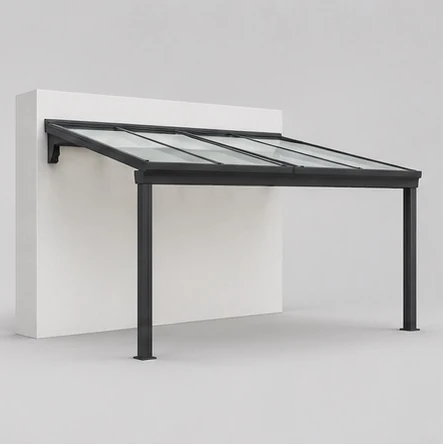
Start with the choices your customers make.
Shape the details around your own catalog.
Make the footprint understandable, with clear ranges and a live visual preview.
Let customers compare the details that define the look of their project.
Present compatible choices in a simple, considered order.
Add the finishing touches and see their effect on the estimate.
A tailored verandas configurator starts with the products you can supply. Before development, gather current product sheets, approved imagery, dimension ranges, finish names, and pricing assumptions. Agree which choices can be automated and which need your team’s review.
Worked planning example. An illustrative veranda brief can combine terrace width, projection and glazing preferences. Keep questions about attachment to the building and the existing setting visible until the installer reviews them. A clear preview is useful even when some site decisions remain open.
The intended handover includes the chosen product, dimensions, finishes, options, estimate assumptions and unanswered questions. Website placement, enquiry delivery and system integrations are defined in your project scope; the current concept demos prepare browser-local briefs.
That is the starting point. We’ll review your dimensions, materials, accessories, and product rules to define a configurator experience for your range.
A project depends on the size of your catalog, visual requirements, pricing rules, and integrations. We’ll scope those details with you before providing a proposal. Prices in the interactive demo are illustrative product estimates, not software pricing or a binding quote.
This website and its concept demo adapt to phones, tablets, and desktops. A production configurator should be reviewed against your products, devices, and accessibility requirements before launch.
Your product sheets, dimensions, finish options, pricing structure, and any existing images or drawings are a useful start. We can then map the customer journey together.
Tell us what you sell. We’ll review your product options, pricing rules, and the brief your team needs.
Prepare an enquiry draft · Contact details coming soon